BOB353
Established Member
- Joined
- Nov 13, 2024
- Messages
- 170
- Reaction score
- 80
- Points
- 40
- Location (town/city + country)
- Baldivis Western Australia
- Driving
- ZS EV
As you will probably all know, MG ZS EV owners in Australia and New Zealand and only just found out that Turkey/Asia are unable to update the Navigation Maps because MG AU/NZ refuse to listen to our complaints. I have made 2 separate submissions via their Customer Care page and both submissions, I was told quiet rudely that they were not interested in my findings and told me to use the method used for the older 9” screen used in the Gen 1 model. This involves plugging in a black USB into the USB-A port and the head unit (HU) will write information to the USB that allows you to then download the latest maps from NaviExtra. This might work on the 9” HU but does not work on the 10.1” HU used in the Gen 2 model. I even had one of the local MG tech gurus sit in my car and he agreed that the method supplied by MG did not work.
Finally after about a year of getting nowhere with MG, I decided there must be a better way of getting the HU to work how I wanted it to work. For a start, I did not want to use my phone and Android Auto as I share the car with my wife, I have a Samsung and she has an iPhone11 so I figures a dedicated smart box permanently plugged into USB-A port with all our music on a SD card.
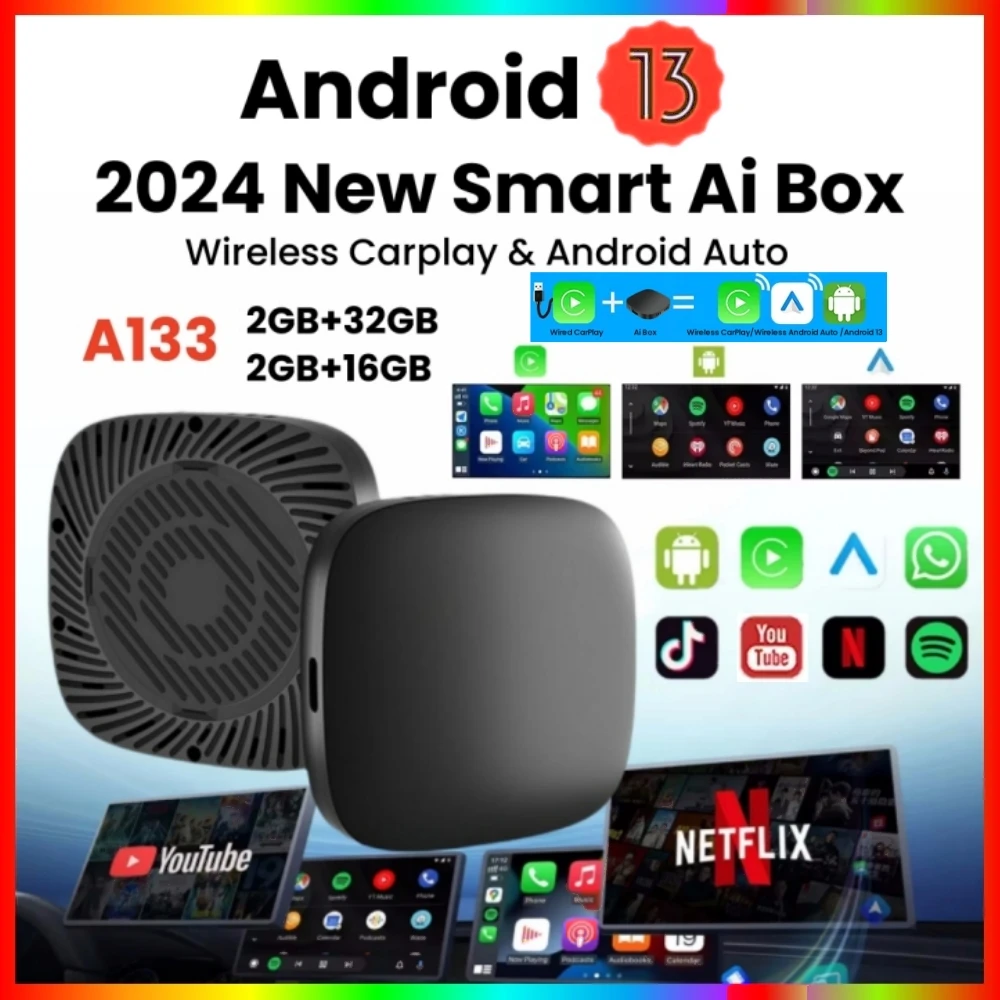
I purchased a smart box similar to this - Carlinkit Android 11 Wireless Carplay AI Box Android Auto Youtube Adapter back in December 2024 paying AUD$90.29
The learning curve kept me running back and forward to the car time and time again but I could not get it working as I wanted so I finally decided that the CarLinkIt was not going to work so after 11 months I decided to try another unit like this one -2025 Android 14 3-in-1 CarPlay Smart Box Wireless Android Car Adapter supports YouTube, Netflix Plug-and-Play paying AUD$110.76.
It didn’t take me long to get sick of going out to the car each time I wanted to try something so I purchased a screen I could use in my study - SINOVCLE 7" Portable Wireless Carplay Android Auto Car Radio Multimedia Player IPS Touch Screen AUX USB Bluetooth Mirror Link paying AUD$44.63. Basically this is and Android screen that you can mount on your dash and use it ash you use your head unit if you don't already have one or like I am doing, running it on my desk from a 12V power supply.
Playing with the new Android 14 HU I discovered the function of a Launcher and like the look of the AGAMA ( It is designed for convenient control of the system in the car. The Agama launcher is ready for use immediately after installation, and its initial configuration takes no more than 2 minutes. Nevertheless, Agama has deep integration with many Android services and third-party applications and allows you to customize the main screen of your car very flexibly depending on your preferences and the style of the surrounding interior.)
After trying a few different launchers, I purchased the AGAMA app, well worth the AUD$10, it is very easy to set up and has many option.
See below a screen shot I have highlighted as follows –

YELLOW – these are the supplied functions and I would leave them as I am not certain how they have been programed. Top left is WIFI signal, SATs, the 15 is the number the unit picked up with the car parked in our carport and the device sitting in the centre console. The right top is weather and temp which I believe comes from the sats. Bottom right is day/night setting and AGAMA settings. The 2 plus signs on the left bottom can be set with any app/fuction you want
The 6 buttons either side are all able to be set to your choice. To select the button just short press will activate that app, long press allows you to select an icon, name the function and select the required app.
If you press the button and drag it into the centre, you can now set up to an additional 4 apps so all up you can configure over 30 apps which is more than enough for anyone.
There is also the APPS button which opens up to show all the apps installed and this is how I get to the Play Store to install new apps.
The original CarLinkIt unit I found would not install many apps when it was running the original launcher but when I set it up with AGAMA it was fine but I cannot get it to use the GPS function so hence my second purchase of the Android 14 unit is what I have ended up using
In the AGAMA settings you select your default Music and Navigation apps. For my music I use the SD card with over 40GB of our music collection in MP3 format which I have built up so that each file holds the cover artwork for the album using mp3tag.exe to ensure that the details I want are shown when the track is playing.
My preferred music app is Musicolet and for navigation I still have not decided which one to use but it will be an offline one so will welcome any suggestions.
The Android 14 unit does have a 4G slot but I will not be using it. There is no reason why I can’t setup a hot spot on my phone and link that to the box they I could use Google Maps, or Waze online via the phone
I did a lot of YouTube viewing while working through this project so to start with, try this one - AGAMA Car Launcher : All the Settings Revealed
I hope this helps those that can't install updated maps and give you a much better head unit that what MG think they have supplied.
Yes, I could have just plugged my phone in and used Android Auto or CarPlay but to need to remember to plug in your phone every time you got in the car was not what I was after. I have a perfect solution that operates how I want it to and it looks great.
Additionally I purchased a compact folding BlueTooth keyboard that I store in the car from eBay for AUD$30.07 to save from needing to use the onscreen keyboard.

If you have any questions, fire away.
Finally after about a year of getting nowhere with MG, I decided there must be a better way of getting the HU to work how I wanted it to work. For a start, I did not want to use my phone and Android Auto as I share the car with my wife, I have a Samsung and she has an iPhone11 so I figures a dedicated smart box permanently plugged into USB-A port with all our music on a SD card.
I purchased a smart box similar to this - Carlinkit Android 11 Wireless Carplay AI Box Android Auto Youtube Adapter back in December 2024 paying AUD$90.29
The learning curve kept me running back and forward to the car time and time again but I could not get it working as I wanted so I finally decided that the CarLinkIt was not going to work so after 11 months I decided to try another unit like this one -2025 Android 14 3-in-1 CarPlay Smart Box Wireless Android Car Adapter supports YouTube, Netflix Plug-and-Play paying AUD$110.76.
It didn’t take me long to get sick of going out to the car each time I wanted to try something so I purchased a screen I could use in my study - SINOVCLE 7" Portable Wireless Carplay Android Auto Car Radio Multimedia Player IPS Touch Screen AUX USB Bluetooth Mirror Link paying AUD$44.63. Basically this is and Android screen that you can mount on your dash and use it ash you use your head unit if you don't already have one or like I am doing, running it on my desk from a 12V power supply.
Playing with the new Android 14 HU I discovered the function of a Launcher and like the look of the AGAMA ( It is designed for convenient control of the system in the car. The Agama launcher is ready for use immediately after installation, and its initial configuration takes no more than 2 minutes. Nevertheless, Agama has deep integration with many Android services and third-party applications and allows you to customize the main screen of your car very flexibly depending on your preferences and the style of the surrounding interior.)
After trying a few different launchers, I purchased the AGAMA app, well worth the AUD$10, it is very easy to set up and has many option.
See below a screen shot I have highlighted as follows –
YELLOW – these are the supplied functions and I would leave them as I am not certain how they have been programed. Top left is WIFI signal, SATs, the 15 is the number the unit picked up with the car parked in our carport and the device sitting in the centre console. The right top is weather and temp which I believe comes from the sats. Bottom right is day/night setting and AGAMA settings. The 2 plus signs on the left bottom can be set with any app/fuction you want
The 6 buttons either side are all able to be set to your choice. To select the button just short press will activate that app, long press allows you to select an icon, name the function and select the required app.
If you press the button and drag it into the centre, you can now set up to an additional 4 apps so all up you can configure over 30 apps which is more than enough for anyone.
There is also the APPS button which opens up to show all the apps installed and this is how I get to the Play Store to install new apps.
The original CarLinkIt unit I found would not install many apps when it was running the original launcher but when I set it up with AGAMA it was fine but I cannot get it to use the GPS function so hence my second purchase of the Android 14 unit is what I have ended up using
In the AGAMA settings you select your default Music and Navigation apps. For my music I use the SD card with over 40GB of our music collection in MP3 format which I have built up so that each file holds the cover artwork for the album using mp3tag.exe to ensure that the details I want are shown when the track is playing.
My preferred music app is Musicolet and for navigation I still have not decided which one to use but it will be an offline one so will welcome any suggestions.
The Android 14 unit does have a 4G slot but I will not be using it. There is no reason why I can’t setup a hot spot on my phone and link that to the box they I could use Google Maps, or Waze online via the phone
I did a lot of YouTube viewing while working through this project so to start with, try this one - AGAMA Car Launcher : All the Settings Revealed
I hope this helps those that can't install updated maps and give you a much better head unit that what MG think they have supplied.
Yes, I could have just plugged my phone in and used Android Auto or CarPlay but to need to remember to plug in your phone every time you got in the car was not what I was after. I have a perfect solution that operates how I want it to and it looks great.
Additionally I purchased a compact folding BlueTooth keyboard that I store in the car from eBay for AUD$30.07 to save from needing to use the onscreen keyboard.
If you have any questions, fire away.