I'm going mad!
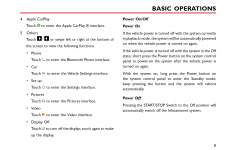
I've looked and looked (Even tried looking in the handbook!) but I can not for the life of me find out where (IF) I can turn down the brightness of the centre Infotainment Screen on my Zs.
I have had it for just under a year but had never really used it much at night (Covid).
Now the world is coming back slowly to some normality and the nights are drawing in I find my self using the car more and at night.
With the screen in it's first mode it's blinding! I end up choosing to press the radio to darken the screen a little but some adjustment would be nice.
Can anyone point my the right deration?
I've looked and looked (Even tried looking in the handbook!) but I can not for the life of me find out where (IF) I can turn down the brightness of the centre Infotainment Screen on my Zs.
I have had it for just under a year but had never really used it much at night (Covid).
Now the world is coming back slowly to some normality and the nights are drawing in I find my self using the car more and at night.
With the screen in it's first mode it's blinding! I end up choosing to press the radio to darken the screen a little but some adjustment would be nice.
Can anyone point my the right deration?