PeterEV

Novice Member
Joined
Mar 15, 2026
Messages
5
Reaction score
0
Points
1
Location (town/city + country)
Sweden
Driving
Marvel R
Hello everyone!
I live in Sweden and bought a used Marvel R Luxery a month ago. Very happy with the car even though it has some
weird chinese oddities!😁
I wonder how to use the preheating battery button in the car. Do I physically need to go out to the car and turn on the preheating
30-60 min before I charge? Do I turn it on half an hour while driving in cold weather before I stop and need to charge the car?
How cold is cold that I need to use the preheating?
Preheating only when you fast charge or at home as well where I charge at 11kw?

The manual is not the best but I suppose most of you know that!

And I say as as Arnold "I'LL BE BACK"!😄
Thanks
 
I activate preheating from the ismart App on my phone. I only use it when it's very cold here in SW France.
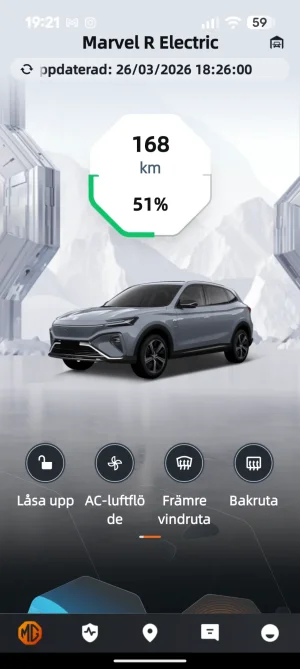
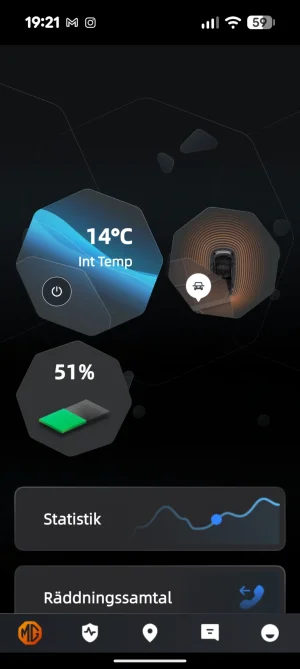
Strange, I don't have the option to start preheating in the app!? My app is up to date, checked it today.
 
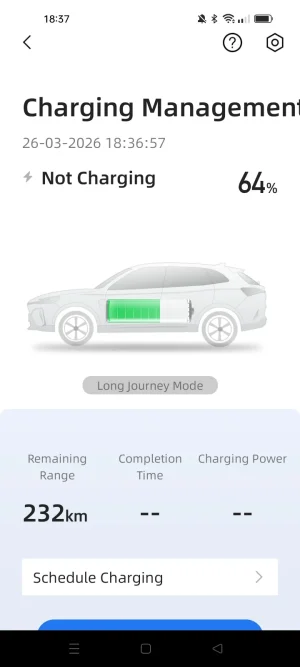
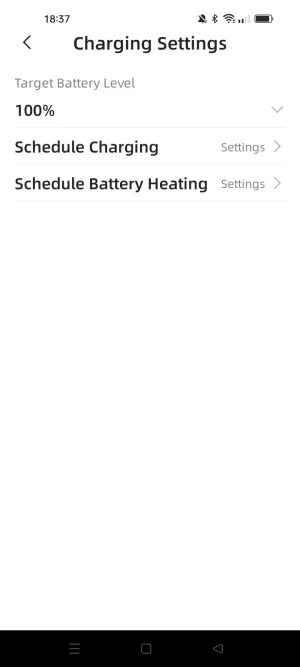
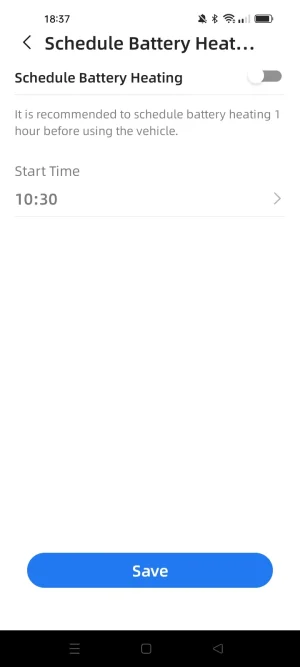
Go to "Charging Management" and click the small icon top right. You can set the battery preheating in there.
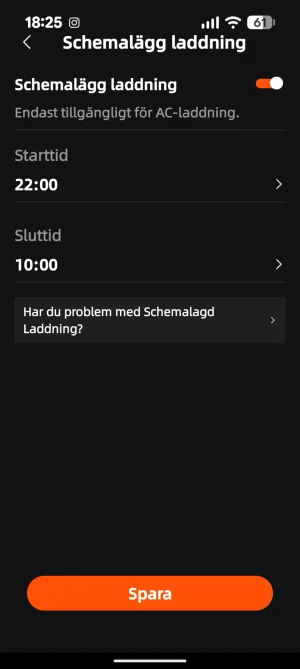
Nope, not there!
 

Attachments

  • Screenshot_20260326-182523.webp
    Screenshot_20260326-182523.webp
    32.7 KB · Views: 19
Not sure which version of the App you have but I get this.

Screenshot_2026-03-26-18-36-43-57_2eb9c8b5871ee1573f52dd95f3b62309.webp
 

Attachments

  • Screenshot_2026-03-26-18-37-04-19_2eb9c8b5871ee1573f52dd95f3b62309.webp
    Screenshot_2026-03-26-18-37-04-19_2eb9c8b5871ee1573f52dd95f3b62309.webp
    33.2 KB · Views: 14
  • Screenshot_2026-03-26-18-37-17-07_2eb9c8b5871ee1573f52dd95f3b62309.webp
    Screenshot_2026-03-26-18-37-17-07_2eb9c8b5871ee1573f52dd95f3b62309.webp
    18.1 KB · Views: 13
  • Screenshot_2026-03-26-18-37-28-12_2eb9c8b5871ee1573f52dd95f3b62309.webp
    Screenshot_2026-03-26-18-37-28-12_2eb9c8b5871ee1573f52dd95f3b62309.webp
    20.5 KB · Views: 15
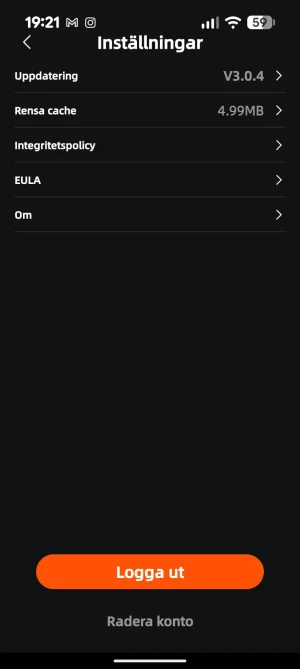
My app version is V3.0.4
 

Attachments

  • Screenshot_20260326-192143.webp
    Screenshot_20260326-192143.webp
    69.8 KB · Views: 13
  • Screenshot_20260326-192158.webp
    Screenshot_20260326-192158.webp
    47.6 KB · Views: 16
  • Screenshot_20260326-192105.webp
    Screenshot_20260326-192105.webp
    23.4 KB · Views: 19
There are 2 theme settings for the app. One is ‘White’ and one is ‘100 Years’.
Click on the bottom right icon to go to the menu and then select Theme Settings to swap between them.
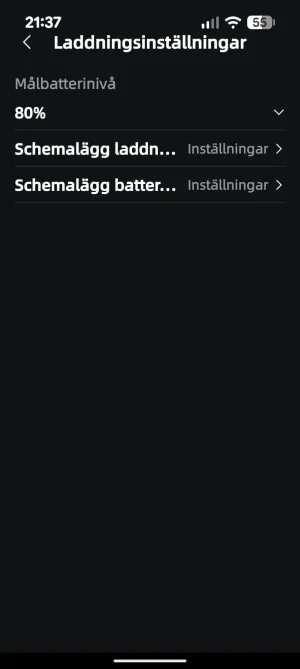
Both themes have the Battery Heating control and scheduling under Charging Management.
 
Thank you for helping a stupid person! 🙃:rolleyes:
It was there in front of me the whole time, I just didn't see it!😁
Thanks alot for your help. 🙂
 

Attachments

  • Screenshot_20260326-213722.webp
    Screenshot_20260326-213722.webp
    25 KB · Views: 17
Last edited:
Support us by becoming a Premium Member

Latest MG EVs video

MG4 EV Refresh + NEW MG4 EV Urban - UK arrival dates, prices, specs (2026)
Subscribe to our YouTube channel
Back
Top Bottom