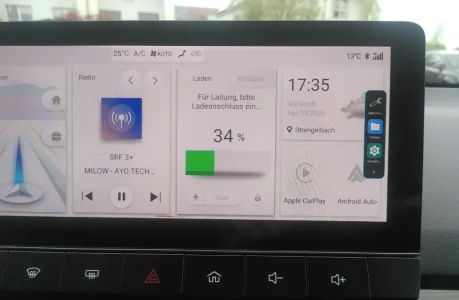
It's pretty straight forward, but wordy to describe...
First download the .apks you want to your USB drive. Ignore the signing etc, that is only if you customise the app yourself.
1. Enable USB Debugging in Android Settings
You need to get the on-screen keyboard to display, so use something like the Amazon Streaming service on the console. Anywhere you have to use the keyboard will do, Bluetooth settings is an alternative.
Put the cursor in the username field. When the keyboard appears, press and hold the @ key. In the popup tap select language, in the screen to select the language, tap the search magnifying glass top right.
Type in "backup", and tap the backup settings that is found. This launches the Android backup settings screen. Tap the back arrow top left.
You will now be in the full Android settings screen. Select About Phone, scroll to Build number. You need to tap that 7 times to enable developer mode. Once that is done, back again to the main settings screen.
Open System, you should now have a new option for developer settings, open that scroll to USB Debugging and enable it.
Press the Home button on the Infotainment to exit Android and get back to the MG system.
2. Enable ADB in the MG Engineering Menu.
As per the usual instruction (this is for the Trophy model, see elsewhere for SE), go to Settings, keep tapping the Infotainment version until a password dialog appears. Enter 200519.
In the engineering screen that appears, enabled ADB, then select reboot.
3. Load your .apk(s)
Plug your USB drive into the left-hand socket.
Using the steps in 1. above to access Android, but this time instead of typing the initial "backup", enter "files" in the search instead. From the list that appears, select "Files"
The file manager launches, navigate to your USB drive, tap of the .apk. You then get a series of prompts warning you about installing from an unknown source etc. Watch out some of the "buttons" use very small text and appear in the bottom/top corners of the screen.
4. Reboot again (required if you use launchers or swipe to launch) and you should be done with the installation.