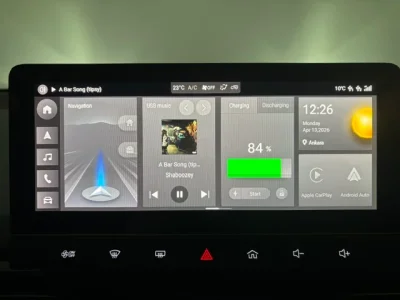
MG4 Software Update Thread

I was responding to P9999, didin't see page 323 before responding. But you got a point, last map update is 24Q3, it's 2 years old...
 
There are far better options on AA/CP, including offline (but up to date) maps when data becomes an issue.

When traveling, ABRP mated to an OBD dongle can provide dynamic trip planning that the MG stock navigation system and trip planner simply can’t match.
You can also use ABRP without need for a OBD dongle. There's a good solution described here.

Google Maps has also received an update for EVs: You can choose your type of EV and it can calculate the estimated energy consumption on a trip with planning for charging stops. Source here.
 
Last edited:
USA (and India for some features) only at the moment though. The new immersive AI navigation looks pretty!

The AI-powered EV charging features are for cars using Android Auto, presumably because they then have access to live battery SoC and consumption rate.
 
Last edited:
Hello,

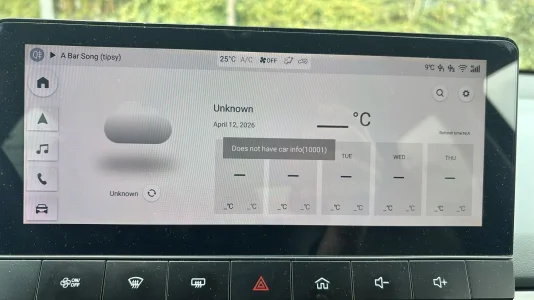
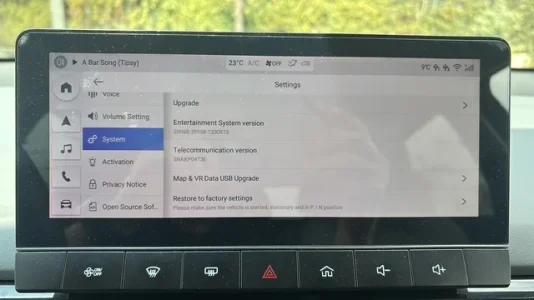
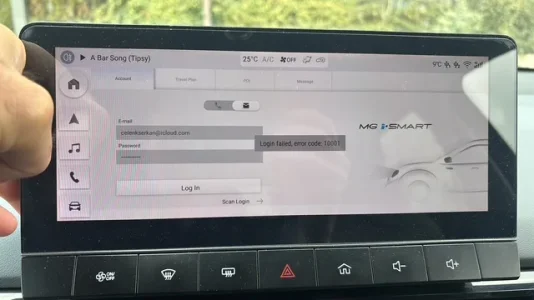
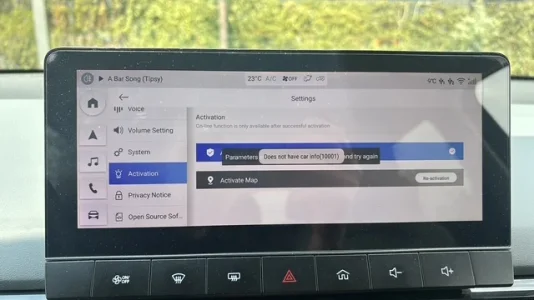
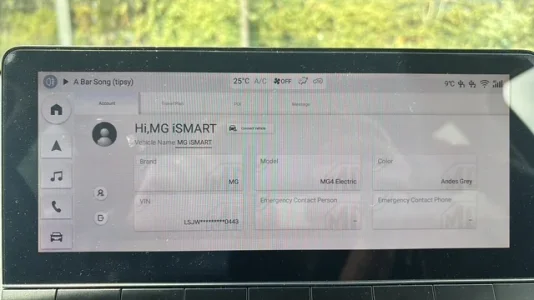
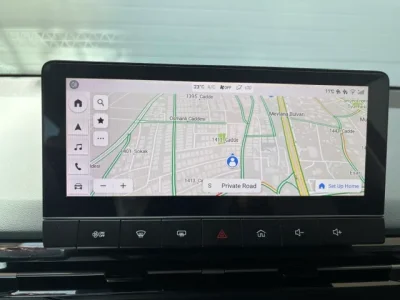
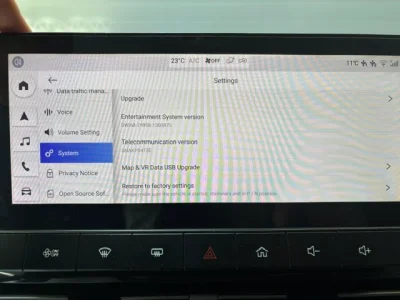
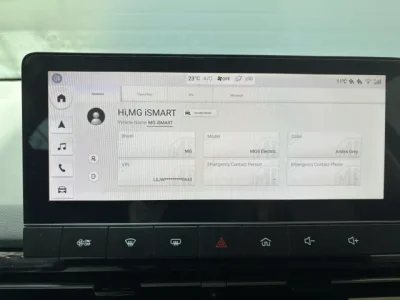
When I installed the R73 version on my car and entered the iSmart user information, it gave the following error. It also didn’t update the weather. The system performed the version license approval, but it didn’t perform the map approval either. Unfortunately, activation is not working. However, the map is actively working. The screen constantly shows the error: “does not have car info (10001)”.

My vehicle’s fıcm SIPS version is 59.5.2.0.

Additionally, isn’t this R73 version the global version? There is still no language selection option in our vehicles. The Turkish language option is not available, not even in the Luxury model. This makes using the vehicle very difficult. When a warning or information appears, we have to search on the screens. Since this issue is related to important vehicle situations, it creates a safety concern.
 

Attachments

  • 0aac881e-e969-4f16-ba45-7cfea13fc614.webp
    0aac881e-e969-4f16-ba45-7cfea13fc614.webp
    223.7 KB · Views: 58
  • 10EDDF0C-E1A9-4B87-AFEF-EAA5F9D04031.webp
    10EDDF0C-E1A9-4B87-AFEF-EAA5F9D04031.webp
    26.4 KB · Views: 51
  • 40E5C204-031D-4E35-A076-D95C1049F4A5.webp
    40E5C204-031D-4E35-A076-D95C1049F4A5.webp
    28.2 KB · Views: 48
  • FD1BFFB3-DCAF-431E-8B39-86FAC8881BE3.webp
    FD1BFFB3-DCAF-431E-8B39-86FAC8881BE3.webp
    30.5 KB · Views: 55
Hi All, I had a look through the comments but cant seem to find to much about Australian models, I have an Essence 64, running the SWI165 R11 software. Is there any update for this? It seems very out of date compared to the rest of the world and the dealer is no hope, they’ve said thats all there is.
 
Hi All, I had a look through the comments but cant seem to find to much about Australian models, I have an Essence 64, running the SWI165 R11 software. Is there any update for this? It seems very out of date compared to the rest of the world and the dealer is no hope, they’ve said thats all there is.
Hi, What is your model year?
 
Hello,

When I installed the R73 version on my car and entered the iSmart user information, it gave the following error. It also didn’t update the weather. The system performed the version license approval, but it didn’t perform the map approval either. Unfortunately, activation is not working. However, the map is actively working. The screen constantly shows the error: “does not have car info (10001)”.

My vehicle’s fıcm SIPS version is 59.5.2.0.

Additionally, isn’t this R73 version the global version? There is still no language selection option in our vehicles. The Turkish language option is not available, not even in the Luxury model. This makes using the vehicle very difficult. When a warning or information appears, we have to search on the screens. Since this issue is related to important vehicle situations, it creates a safety concern.


Hello everyone,

In my MG4 Luxury model car, I successfully completed the activation process as follows:

While connected to WiFi, I went to Settings → Software Version, tapped it 5 times to open the hidden menu, entered the code 200519, enabled the option on the right side, and then activated AVN and Map one after the other.

Anyone experiencing the same issue can perform the same steps.

The problem was occurring only when I used the phone’s mobile hotspot. When I connected to a regular (normal) WiFi network, the activation worked successfully and updated to Active AVN and Active Map.

Thank you to all MG4 owners who replied and helped.
 

Attachments

  • 837A5301-EF1E-48F7-94A9-729B980A4A10.webp
    837A5301-EF1E-48F7-94A9-729B980A4A10.webp
    31.4 KB · Views: 24
  • IMG_7734.webp
    IMG_7734.webp
    29.9 KB · Views: 26
  • IMG_7735.webp
    IMG_7735.webp
    35.1 KB · Views: 25
  • IMG_7737.webp
    IMG_7737.webp
    22.5 KB · Views: 27
  • IMG_7739.webp
    IMG_7739.webp
    20.6 KB · Views: 27

Are you enjoying your MG4?

  • Yes

    Votes: 1,094 77.8%
  • I'm in the middle

    Votes: 210 14.9%
  • No

    Votes: 103 7.3%
Support us by becoming a Premium Member

Latest MG EVs video

MG4 EV Refresh + NEW MG4 EV Urban - UK arrival dates, prices, specs (2026)
Subscribe to our YouTube channel
Back
Top Bottom