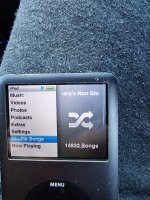
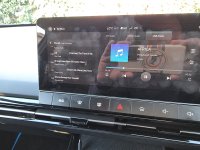
You can't use USB for album play. The way I got all my owned MP3 songs to work in my MG4 is this (using Google Android):
1. Upload all your music to a YouTube Music account, drag and drop, through a browser on a PC or Mac (I have a Gmail account and uploaded 4000 odd songs). This may take several hours.
2. Now your catalog of songs in online, go get a spare smartphone and set up your Gmail account on it and then log in to your YouTube Music account via the app via the play store.
3. Find your uploaded songs and then download each album onto the smartphone. If you have enough storage space on the phone, you could download everything to it.
4.Then take the phone to the car, plug into the USB1 port. Android auto will then boot up. Follow instructions on phone.
5. Open YouTube music on the phone
6. Open YouTube Music via the car infotainment screen and then press 'downloads'
7. Your songs will appear and you can play them via album or shuffle or repeat. You can play them OFFLINE because you downloaded them first. This will save plenty of mobile data
You can leave the phone plugged into the car permanently and just treat it as a music "iPod".
Also note
Make sure the spare phone is not too old. Have it on maximum performance mode if it is too boost power.
Only install YouTube music. Don't put any unnecessary apps on it.
You can use the Android auto settings in the phone to run YouTube music automatically when turning on the car and whilst the screen is locked.
You can also use Google maps for navigation too but you'll need to set up a hotspot on your main phone and use the spare phone to connect to it.
Only negative is you can't use hands free with your main phone because the Bluetooth is being used by the old phone