• Guest, wishing you a happy New Year from the MGEVs.com team.
    We hope you have a peaceful and prosperous 2026.

Android Auto Not Dimming Screen at Night

Ian Robinson

Standard Member
Joined
May 29, 2025
Messages
21
Reaction score
12
Points
11
Location (town/city + country)
warwick
Driving
MG4
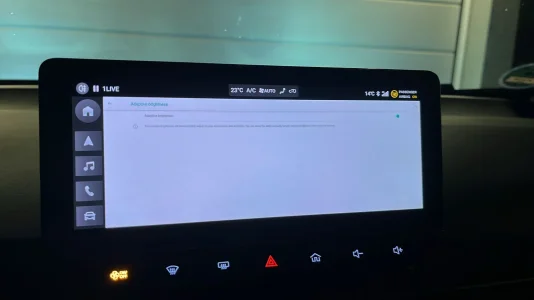
This seems to have stopped working, is there any way to get it working again? The screen is distractingly bright at night.

Is there a way to manually dim the android auto screen if we cannot get this working, or switch the screen off?
 
For me it never worked, on 3 versions of the infotainment.

The only way i found was to as quickly as possible flick the lights from auto to auto off and back to auto.

But beware, the lighting system is super slow to change the modes. It takes 2 seconds, so don't do it at night on a highway, it makes your car dissaper for 2 whole seconds from anyones sight.

Curious to see if there is another way, so ill sub.
 
You can set Android Auto to always night mode though:
1000033309.webp
 
For me it never worked, on 3 versions of the infotainment.

The only way i found was to as quickly as possible flick the lights from auto to auto off and back to auto.

But beware, the lighting system is super slow to change the modes. It takes 2 seconds, so don't do it at night on a highway, it makes your car dissaper for 2 whole seconds from anyones sight.

Curious to see if there is another way, so ill sub.
I wonder if there is a way to raise his as a bug to MG?
 
I've had to do some night driving recently and I noticed it worked sometimes and not others. Very frustrating.
 
If you go in the Android system you can enable auto brightness. My car doesnt have it in the normal settings so I had to adjust it by hand every time.
 

Attachments

  • PHOTO-2025-11-13-18-46-34.webp
    PHOTO-2025-11-13-18-46-34.webp
    51.4 KB · Views: 45
The issue I have is that if the auto-lights come on while I'm driving everything is fine, but if I start the car after dark then AA boots up into Light mode and stays there. I did try shining a bright light on the light sensor to force the entire system in to Light mode, then when I took the light away everything including AA would go into Dark mode. However that is a pain in the backside.

Turning the auto-lighting setting off then on again fixes this. I don't know what other problem it might not fix though.
 
The issue I have is that if the auto-lights come on while I'm driving everything is fine, but if I start the car after dark then AA boots up into Light mode and stays there. I did try shining a bright light on the light sensor to force the entire system in to Light mode, then when I took the light away everything including AA would go into Dark mode. However that is a pain in the backside.

Turning the auto-lighting setting off then on again fixes this. I don't know what other problem it might not fix though.
What software version do you have? Maybe this is a bug in a specific version?
 
I have R67 and it does this. I've been through R30, R33, R46, R63 and R67. It's done it in all of them!
 
I can't find the thread I started about this now, but others who replied said it's nothing to do with MG, that it's a bug in AA and that people with other makes of car also complain about it.

I have an SE and it's on R38, the latest version.
 
Is it possibly something to do with the new Modes Settings in android 16.
I've been getting the same every time I start my car in the evening or early morning. No matter what setting, AA starts in light mode until I switch my lights off and on.
I found a setting for Modes under settings and there's some options for driving in there.
Will test tomorrow morning.
1000009616.webp
 
Let us know how you get on. What puzzled me in my car was that it behaved as expected if it got dark while I was driving, but it stayed on the Light theme if it was already dark when I turned the car on.
 
Let us know how you get on. What puzzled me in my car was that it behaved as expected if it got dark while I was driving, but it stayed on the Light theme if it was already dark when I turned the car on.
Will do. I'm thinking it's definitely something to do with this mode. No matter what other setting in the car, phone, AA, Maps or Waze, to make maps dark, they always start in light mode. I'll try ask the settings on modes this morning.
 
It's nothing to do with Android 16 ... my phone is running Android 15 and suffers the same foible. And it also did so with Android 14 and 13.
 
Don't think it's purely Android either, I have the same issue sometimes with CarPlay. So it points to the car being the issue.
 
Will do. I'm thinking it's definitely something to do with this mode. No matter what other setting in the car, phone, AA, Maps or Waze, to make maps dark, they always start in light mode. I'll try ask the settings on modes this morning.
Well that didn't work. This morning it started in dark mode, but I think that was only because I preheated the car so the lights would have been on and off.
When I got in tonight, it started in light mode again.
 
That's my experience. I think the car has already sent the Light Status signal before AA has properly started up.

You'd think AA would default to Dark (if you'd selected that) but it doesn't seem to in my experience.
 

Are you enjoying your MG4?

  • Yes

    Votes: 1,054 77.7%
  • I'm in the middle

    Votes: 206 15.2%
  • No

    Votes: 97 7.2%
Support us by becoming a Premium Member

Latest MG EVs video

MGS6 deep dive + MG2 rumours, MGS9 PHEV preview and Cyber X tease
Subscribe to our YouTube channel
Back
Top Bottom